Hand-Drawn Sketch to Revit Detail with GPT-6 Astra
Sep 16, 2026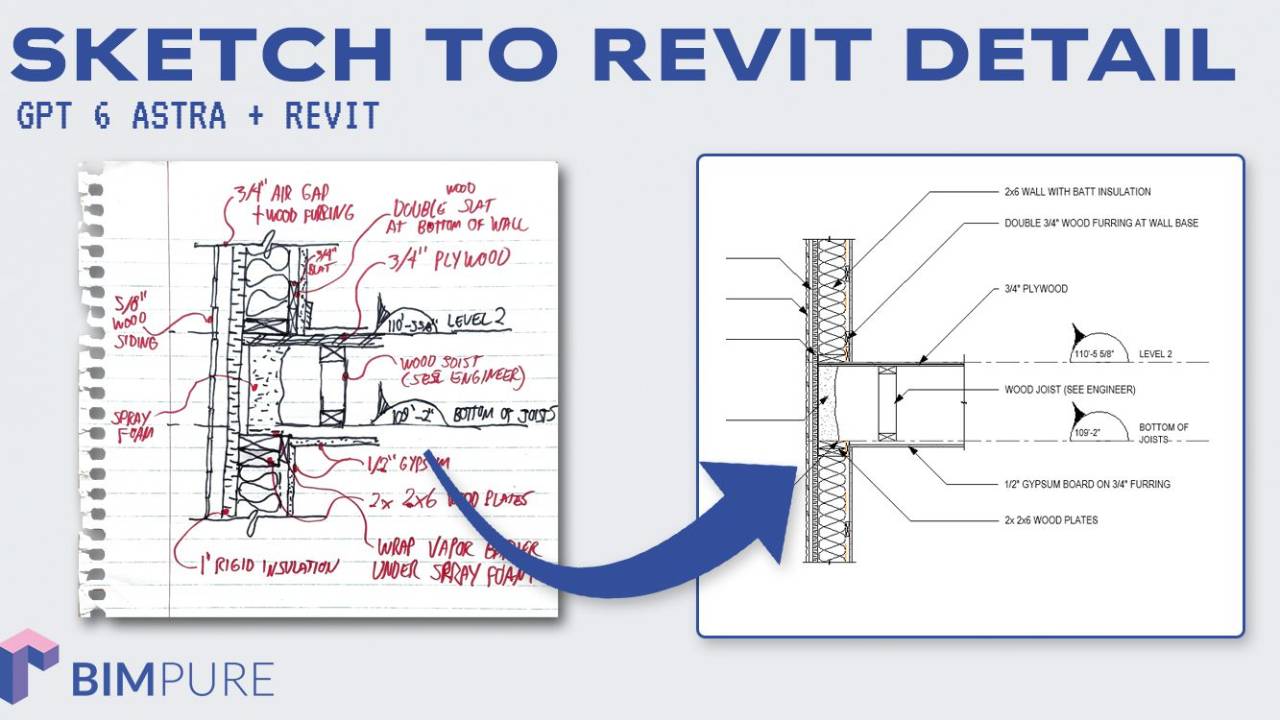
In this video, learn how to create a Revit detail from a hand-drawn sketch by using GPT-6 Astra.
The first test asked GPT-6 Astra to recreate an existing detail image directly inside Revit using the BIM Pure Revit MCP.
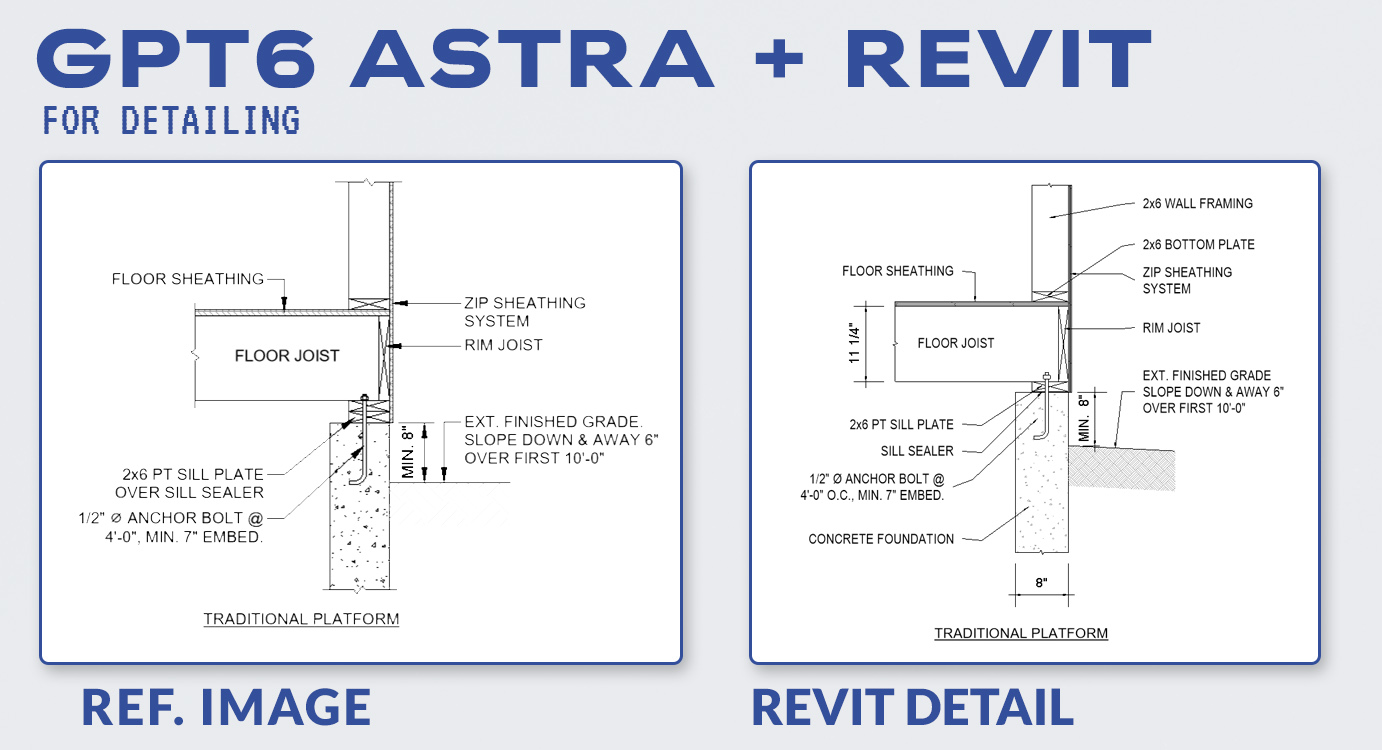
It worked, but took around 20 minutes, used a lot of tokens, and still made a few mistakes.
The next test used a rough hand-drawn sketch instead, which is closer to a real office workflow.
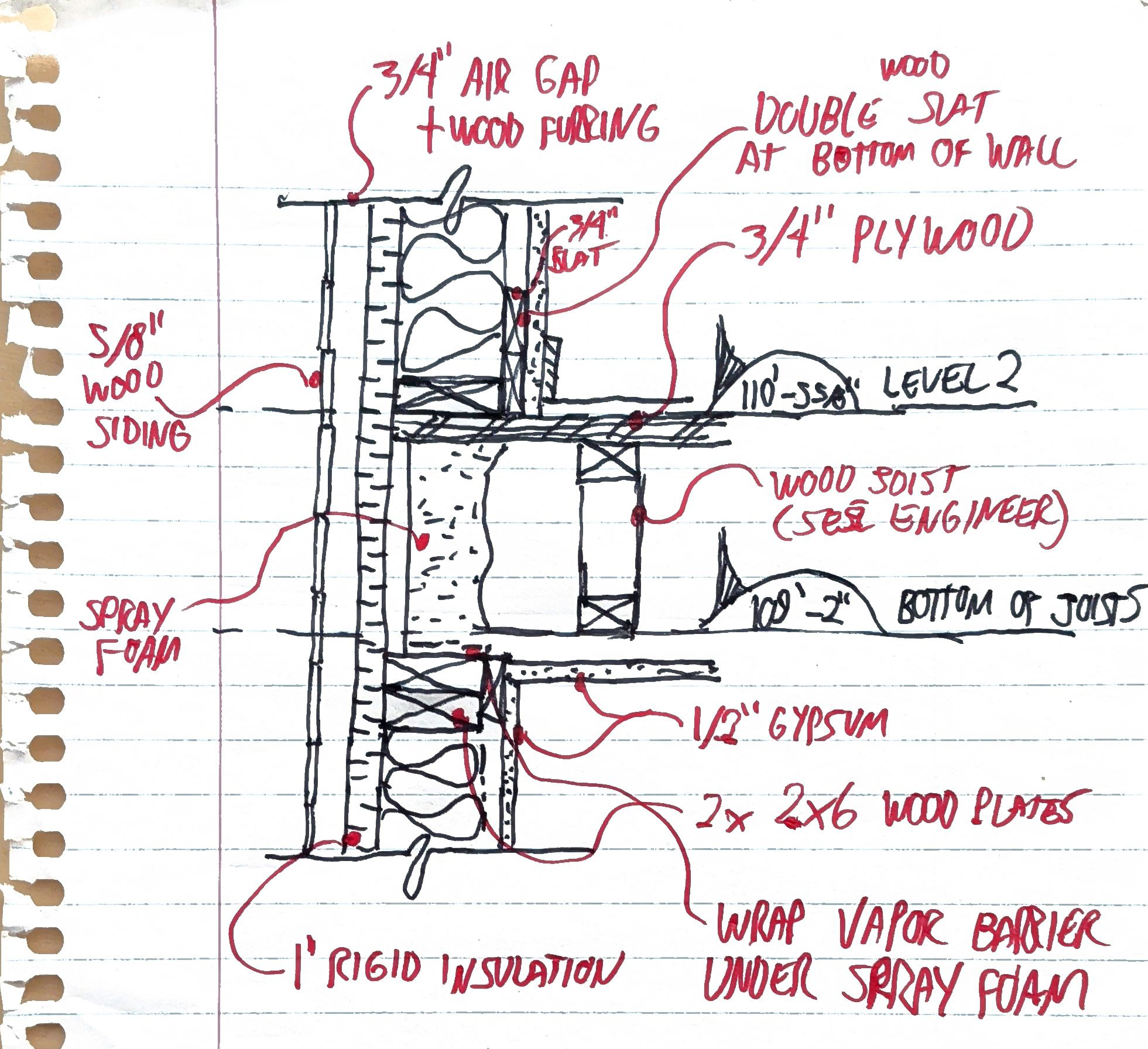
The AI also needs office context: drafting standards, preferred components, and rules to follow.
A Notion page was created to explain the BIM Pure detailing procedure, including a requirement to clearly mark AI-generated details for review. With the ChatGPT Notion integration, you don't need to paste the text or link to the page; it can just fetch it.
The prompt asked Astra to read the Notion procedure, analyze the sketch, and recreate it using existing Revit detail components.
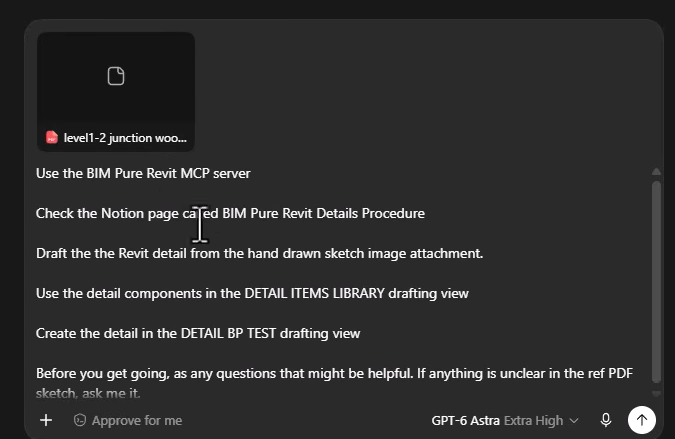
Before starting, it asked useful questions about dimensions, wall assemblies, insulation thickness, and scale.
The first result was quite close, but had several obvious issues: incorrect furring, duplicated framing, missing components, and a few bad symbol choices.
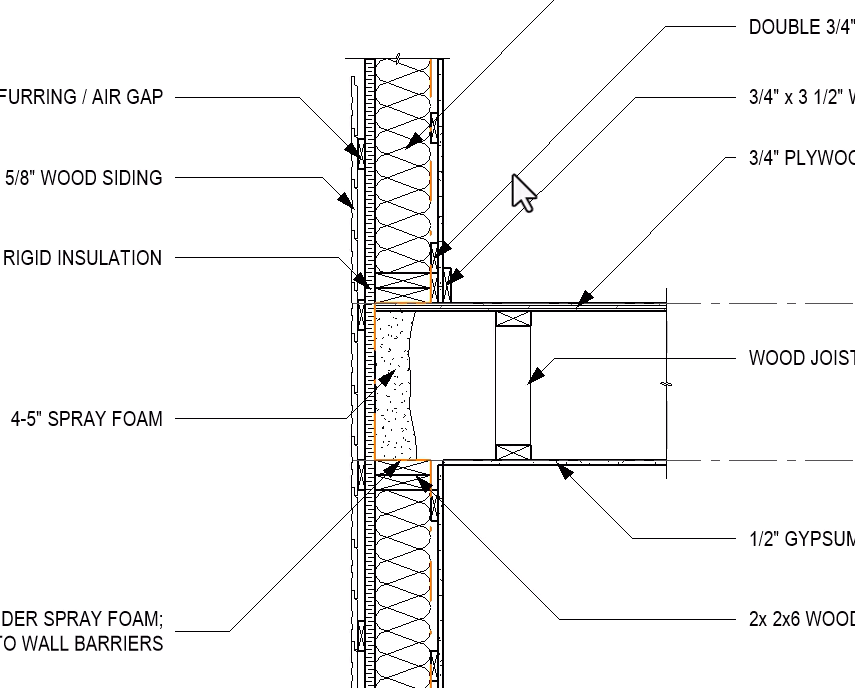
A second prompt listed the corrections, and Astra updated the detail.
The biggest issue was efficiency. The experiment used roughly $10 worth of API-equivalent tokens and took too long for firmwide use.
The next step is to rely more on reusable code snippets, better MCP tools and persistent office context instead of rebuilding everything from scratch.
AI-generated details still need proper human QA before being used in construction documents.
Join the Claude for BIM live course:
Enter your details below to get this free guide.